Image Generate API – pollinations AI ( Free ) 이미지 생성 API – 무료 AI
Today, we will explore Pollinations, an AI service that facilitates free image generation via API.
오늘은 API를 통하여 무료 이미지를 생성할 수 있는 AI 서비스에 대해 알아보겠습니다.
바로 pollinations 라는 사이트입니다.
You can access the service at the URL below and sign up using your GitHub account:
해당 사이트 URL은 아래와 같은데요. 깃허브 계정을 통해 가입하실 수 있습니다.
Upon accessing the site, users are granted one ‘Pollen’ daily (valid for that day only). This single Pollen holds significant value; for instance, generating a 1024×1024 image using the ‘Flux Schnell’ or ‘z-image’ models consumes only 0.0002 Pollen. Consequently, one Pollen allows for the generation of approximately 5,000 images per day.
사이트에 접속하면 매일 하루의 유효기간이 있는 한개의 ‘pollen’을 주는데 이 ‘pollen’의 가치가 꽤 높습니다. ‘Flux Schnell’ 이나 ‘z-image’ 이미지의 경우 1024×1024 이미지 한장을 생성하는데 0.0002 pollen 밖에 소요되지 않기 때문에 1 pollen 이면 하루 무려 5000 장의 이미지를 생성할 수 있습니다.
Generating an API Key | API 키 생성
To utilize the API, you must first generate an ‘API Key’. Navigate to the API Keys section located in the middle of the dashboard. Clicking the ‘Create new key’ button ..
API 를 사용하려면 ‘API Key’를 먼저 생성해야 합니다. 화면 중간 정도에 API Keys 라는 섹션이 있습니다.
여기서 Create new key 버튼을 선택하면,

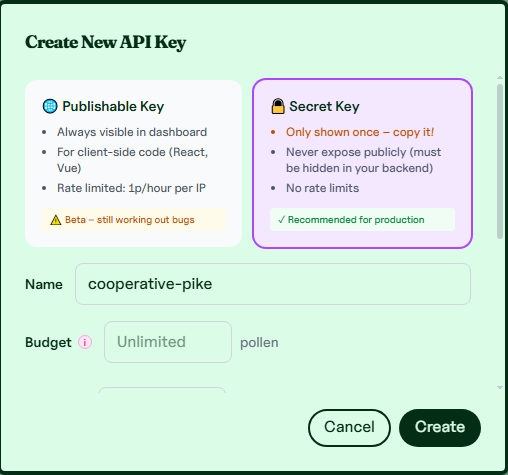
will open a popup window where you can finalize the creation of your API Key.
팝업창이 뜹니다. 여기서 Create 버튼을 클릭하여 API Key 를 생성할 수 있습니다.
API Implementation Code | API 사용 코드
Below is a sample Python script demonstrating how to use the Pollen API. Please replace the ‘YOUR_API_KEY’ placeholder with the key you just issued.
아래는 Pollen API 랄 사용하는 파이썬 샘플 코드입니다.
‘YOUR API KEY’ 부분을 금방 발급받은 API 키를 채워넣고 실행하면
import requests
from PIL import Image
import io
import random

API_KEY = 'YOUR_API_KEY'

def generate_image():
    raw_prompt = (
        "modern city anime style, a stylish girl in a trendy oversized hoodie "
        "sitting by a large window overlooking a glowing city night skyline, "
        "holding a smartphone with a soft holographic interface, "
        "warm indoor lighting contrasted with blue city lights, high detail, masterpiece"
    )

    seed_value = random.randint(1, 1000000)

    final_prompt = f"{raw_prompt} --seed {seed_value}"

    url = f"https://gen.pollinations.ai/image/{final_prompt}"

    modelname = "imagen-4"

    params = {
        "model": modelname,
        "width": 1024,
        "height": 1024,
        "nologo": "true",
        "seed": seed_value
    }

    headers = {
        "Authorization": f"Bearer {API_KEY}"
    }

    print(f"Generating image... (Seed: {seed_value}) 🚀")

    try:
        response = requests.get(url, headers=headers, params=params)

        if response.status_code == 200:
            image = Image.open(io.BytesIO(response.content))
            image.show()
            filename = f"result_{seed_value}.png"
            image.save(filename)
            print(f"Success! '{filename}' saved.")
        elif response.status_code == 402:
            print("Error: Pollen is not enough.")
        else:
            print(f"Error: {response.status_code}")

    except Exception as e:
        print(f"Error: {e}")

if __name__ == "__main__":
    generate_image()
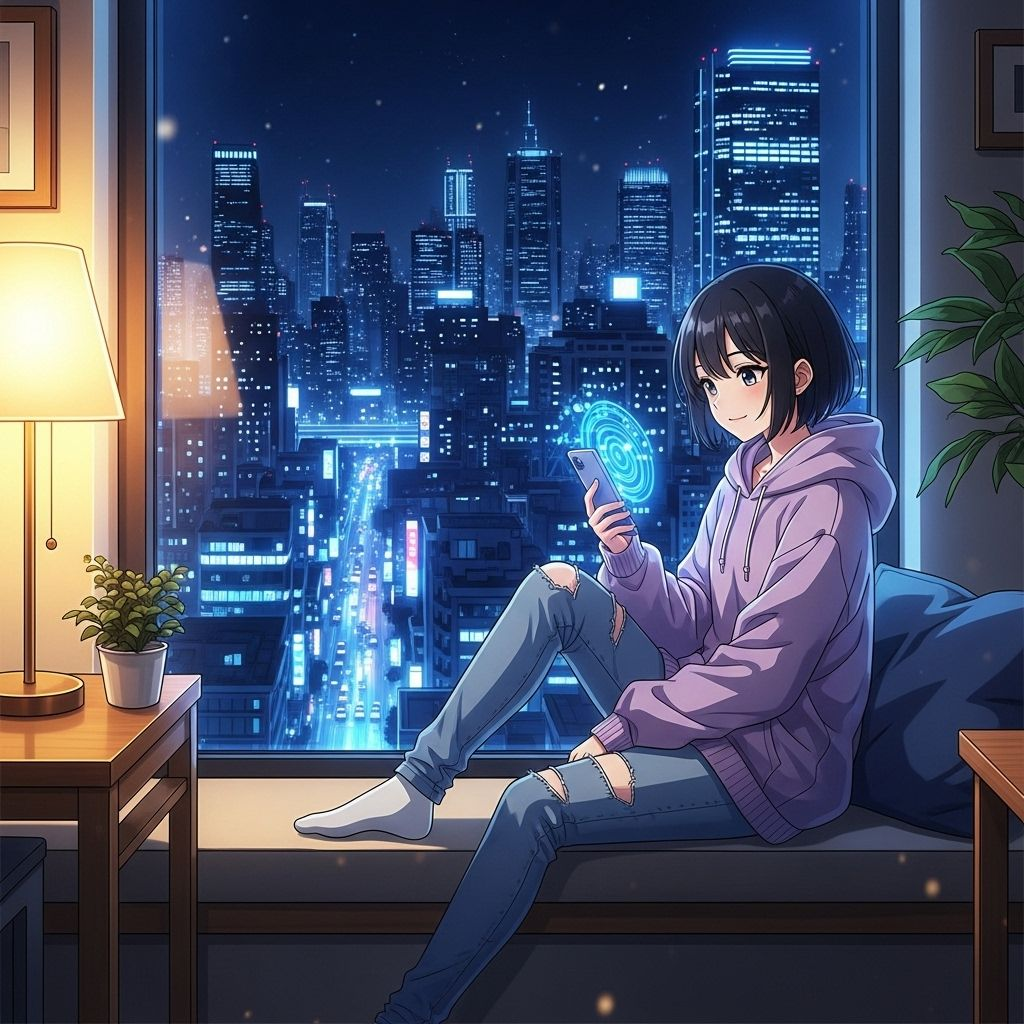
Executing this code will result in a 1024×1024 resolution image. A key feature of this script is the use of a random seed value, ensuring a unique output with every execution.
아래와 같은 1024×1024 크기의 이미지를 얻을 수 있습니다.
매번 다른 seed 값으로 생성하기 때문에 매번 다른 결과를 얻을 수 있는 특징이 있습니다.
Model Selection | 이미지 모델 선택
You also have the flexibility to select different image models, each offering a distinct aesthetic. To change the model, simply modify the modelname variable in the Python script as shown below:
또한 이미지 모델을 선택할 수 있는데요. 이미지 모델마다 느낌이 각각 다릅니다.
이미지 모델을 앞의 python 코드에서 이와 같이 생긴 행을 변경하시면 됩니다.
modelname = "imagen-4"Currently, the platform supports three primary models for text-to-image generation, each with its own unique style:
위와 같이 텍스트로 이미지를 생성하는 모델은 현재 3가지를 지원하며 각각 느낌이 다릅니다,
flux
zimage
imagen-4
flux model

zimage model